18 Sessions: 2020 Virtual Workshop

A Virtual Workshop series featuring Carlson Software case studies, expert Q&A and practical training in survey drafting, civil design and 3D modeling

The 2020 Virtual Workshops combine Carlson demonstrations and project case studies with developer and support round tables. Sessions follow survey drafting, annotation, Field-to-Finish, machine-control models, civil and hydrology design, drawing cleanup, CAD standards, point clouds and sanitary and utility networks in Carlson Hydrology. Round tables cover desktop software, Precision 3D, Dynamic CAD and SurvCE and SurvPC field software, while Dwayne Tindall of CAD Masters explains Autodesk licensing changes for Carlson users. Jennifer DiBona hosts with Scott Griffin, Jeremy Taylor, Walt Liles, Mark Long, Bruce Carlson, Doug Aaberg, Steve Cummings, David Kraus and other Carlson staff.

Key Topics:

  • Carlson Survey project workflows, point management, deed correlation, legal descriptions and GIS imagery
  • Carlson Field-to-Finish, automated annotation, lot closure checks, line and curve tables, and LotNet subdivision tools
  • Carlson Civil case studies, RoadNet templates, intersection grading, profiles and earthwork quantities
  • Carlson Hydrology and Precision 3D Hydro workflows for watersheds, storm and sanitary sewers, culverts, detention ponds and utility networks
  • Carlson drawing cleanup, 3D polylines, surface triangulation and machine control exports
  • Carlson Photo Capture, Point Cloud and scanning tools for drone imagery, LiDAR, terrain models and stockpile volumes
  • Carlson settings standardization, reusable templates, CADnet image merging and drafting shortcuts
  • Carlson desktop and SurvCE/SurvPC roundtables covering troubleshooting, cloud sharing, surface staking and GNSS workflows
  • Autodesk licensing changes discussed in 2020 and workstation considerations for Carlson users

Sessions In This Series:

  • 1-1: Introduction & Welcome, presented by Jennifer DiBona
  • 1-2: Overview of Carlson Software, presented by Scott Griffin
  • 1-3: Annotation Tips & Tricks, presented by Jeremy Taylor
  • 1-4: No Recording
  • 1-5: Case Study:Q&A Project Overview of Using Carlson to Create Machine Control Models, presented by Walt Liles
  • 1-6: Case Study:Q&A Project Overview of Using Carlson software in civil engineering design projects, presented by Mark Long
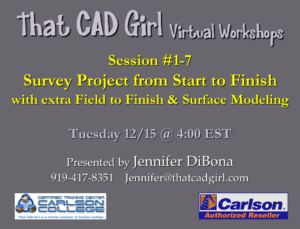
  • 1-7: Survey Project from Start to Finish with extra Field to Finish and Surface Modeling, presented by Jennifer DiBona
  • 2-1: No Recording
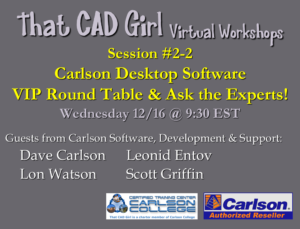
  • 2-2: Carlson Desktop Software VIP Round Table & Ask the Experts, presented by Dave Carlson, Lon Watson, Leonid Entov and Scott Griffin
  • 2-3: No Recording
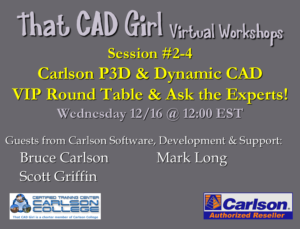
  • 2-4: Carlson P3D & Dynamic CAD VIP Round Table & ASk the Experts, presented by Bruce Carlson, Mark Long and Scott Griffin
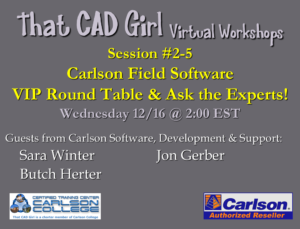
  • 2-5: Carlson Field Software VIP Round Table & Ask the Experts, presented by Sara Winter, Jon Gerber and Butch Herter
  • 2-6: Overview of Carlson’s Point Cloud Manipulation Program
  • 2-7: Autodesk Licensing Changes: Plan for the future and how this will affect Carlson Software Users, presented by Dwayne Tindall
  • 3-1: No Recording
  • 3-2: Customizing, Migrating and Sharing Settings in Carlson Software, presented by Doug Aaberg
  • 3-3: Drawing Cleanup for Model Building and Construction Staking, presented by Walt Liles
  • 3-4: Point Cloud Demonstration “at the Booth”, presented by Steve Cummings
  • 3-5: Tips & Tricks in CAD & Carlson, presented by Jennifer DiBona
  • 3-6: Hot New Features in Carlson 2021, presented by Scott Griffin
  • 3-7: Sanitary Sewer Design in Carlson Hydrology, presented by Mark Long
  • 3-8: Utility Network Design in Carlson Hydrology, presented by Mark Long

Descriptions, transcripts and other details of this recording have been AI-generated and may contain errors.

These sessions were presented by Jennifer DiBona and Carlson staffJennifer DiBona opens the workshop with a welcome, logistics and an overview of the sessions.Scott Griffin presents an overview of Carlson Software products and how they work together.Jeremy Taylor shares annotation tips and tricks for land surveyors in Carlson and CAD.Walt Liles presents a case study on using Carlson to create machine control models.Mark Long presents a case study on using Carlson in civil and hydrology design projects.Jennifer DiBona follows a survey project from start to finish with Field-to-Finish and surfaces.Carlson staff join a desktop software VIP round table to answer user questions.Bruce Carlson leads a Precision 3D Topo, Hydrology and Dynamic CAD VIP round table.Carlson field software staff answer SurvCE and SurvPC questions in a VIP round table.An overview of Carlson Photo Capture, Precision 3D and Point Cloud tools for drone and scan data.Dwayne Tindall of CAD Masters explains Autodesk licensing changes and options for Carlson users.Doug Aaberg shows how to customize, migrate and share settings in Carlson Software.Walt Liles covers drawing cleanup for model building and construction staking.Steve Cummings and David Kraus demonstrate Carlson Point Cloud in a virtual booth session.Jennifer DiBona shares tips and tricks in CAD and Carlson Software.Scott Griffin highlights the hot new features in Carlson 2021.Mark Long demonstrates sanitary sewer design workflows in Carlson Hydrology.Mark Long covers utility network design workflows in Carlson Hydrology.

2020 Virtual Workshop
Session #3-6: Hot New Features in Carlson 2021

A Virtual Workshop Using Carlson Software 2021 – Learn to Use new survey, BIM and parking-design features

This virtual workshop session showcased new and enhanced features in Carlson 2021 software, focusing on Survey, Civil and CADNet modules. Presenter Scott Griffin demonstrated dynamic point attributes, BIM/Revit file integration, road network improvements and advanced parking design tools for surveyors and engineers.

Key Topics:

  • Dynamic Point Attributes in Survey module
  • BIM/Revit file import and manipulation in CADNet
  • Road Network enhancements including hammerhead cul-de-sacs
  • New Parking Network and design tools
  • Handicap and layout customization features

Descriptions, transcripts and other details of this recording have been AI-generated and may contain errors.

This session was presented by Scott Griffin on 12/17/2020.


2020 Virtual Workshop
Session #3-8: Utility Network Design in Carlson Hydrology

A Virtual Workshop Using Carlson Hydrology – Learn to Model detention storage and coordinated utility networks

This virtual Carlson Software workshop, led by Mark Long, provided an in-depth demonstration of detention pond design, hydrology analysis and utility network creation within Carlson Civil and Hydrology. The session covered practical workflows, design parameters and troubleshooting tips for stormwater management and utility modeling.

Key Topics:

  • Detention pond design and hydrology setup
  • Rainfall data integration and hydrograph generation
  • Outlet structure configuration (riser, orifice, weir)
  • Utility network creation and pipe crossing management
  • Troubleshooting and Q&A with developers

Descriptions, transcripts and other details of this recording have been AI-generated and may contain errors.

This session was presented by Mark Long on 12/17/2020.


2020 Virtual Workshops
Session #3-7: Sanitary Sewer Design in Carlson Hydrology

A Virtual Workshop Using Carlson Hydrology – Learn to Prepare watersheds and design storm drainage networks

This Carlson Software virtual workshop, led by hydrology expert Mark Long, provides an in-depth walkthrough of storm and sanitary sewer design using Carlson Hydrology tools. The session covers watershed setup, pipe network creation, stormwater management and integration with CAD surfaces for accurate drainage modeling.

Key Topics:

  • Setting up watershed layers and runoff coefficients
  • Designing storm sewer networks and detention ponds
  • Creating and editing sanitary sewer systems
  • Using Carlson Hydrology’s network, drainage and profile tools
  • Managing surfaces, rainfall data and hydraulic grade lines

Descriptions, transcripts and other details of this recording have been AI-generated and may contain errors.

This session was presented by Mark Long on 12/17/2020.


2020 Virtual Workshops
Session #3-5: Tips & Tricks in CAD & Carlson Software

A Virtual Workshop Using Carlson CADnet – Learn to Speed up raster-plan work and routine cad drafting

This virtual workshop, led by That CAD Girl, covers practical CAD and Carlson Software tips and tricks for surveyors, engineers and CAD technicians. The session demonstrates workflows for merging raster images, using Field to Finish, managing polylines, cleaning drawings and creating reusable title block templates.

Key Topics:

  • CADNet raster merging and image handling
  • Field to Finish setup and automation
  • Polyline editing and boundary creation
  • Drawing cleanup, block management and title block templates
  • Converting spot elevations to Carlson points
  • Line type customization and text rotation

Descriptions, transcripts and other details of this recording have been AI-generated and may contain errors.

This session was presented by Jennifer DiBona on 12/17/2020.


2020 Virtual Workshops
Session #3-4: Carlson Point Cloud

A Virtual Workshop Using Carlson Point Cloud – Learn to Process Point Clouds into Surfaces

This bonus session from the 2020 Virtual Workshops focuses on Carlson Point Cloud software, demonstrating how to import, clean and process point cloud data to create usable terrain models. Steve Cummings and David Kraus walk through workflows, performance considerations and practical tips for handling large LIDAR datasets in Carlson Civil.

Key Topics:

  • Importing and visualizing point clouds in Carlson Point Cloud
  • Differences between Basic and Advanced versions
  • Creating bare earth models and TIN surfaces
  • Managing large datasets and optimizing performance
  • Workflow for civil site studies using LIDAR and aerial data

Descriptions, transcripts and other details of this recording have been AI-generated and may contain errors.
This session was presented by Steve Cummings and David Kraus on 12/17/2020.


2020 Virtual Workshops
Session #3-3: Drawing Cleanup for Model Building and Construction Staking

A Virtual Workshop Using Carlson Software – Learn to Clean Drawings for Machine Control Models

This Carlson Software virtual workshop features Walt Liles demonstrating best practices for CAD drawing cleanup and model building using Carlson Software. The session covers file‑size reduction, polyline management, layer organization and exporting coordinate data for field layout.

Key Topics:

  • Carlson Software “Drawing Cleanup” tool and settings
  • File‑size optimization and layer management
  • Converting entities to polylines and handling Civil 3D data
  • Creating and exporting points (CRD files, TXT exports)
  • Preparing 2D/3D linework for GPS and curb‑machine models

Descriptions, transcripts and other details of this recording have been AI-generated and may contain errors.

This session was presented by Walt Liles on 12/17/2020.


2020 Virtual Workshops
Session #3-2: Customizing, Migrating and Sharing Settings in Carlson Software

A Virtual Workshop Using Carlson Software – Learn to Standardize CAD Settings Across Workstations

This Carlson Software virtual workshop, led by Doug Aaberg and hosted by Jennifer DiBona, focused on managing and standardizing CAD and Carlson settings across multiple platforms. The session demonstrated how to use Carlson’s Setting Server to synchronize templates, plot styles, fonts and configuration files company‑wide.

Key Topics:

  • Cross‑platform CAD configuration (AutoCAD / IntelliCAD / Carlson OEM)
  • Centralized management of plot styles, fonts and templates
  • Using Carlson Setting Server for company‑wide consistency
  • Creating and sharing CFG, FLD and DWT files
  • Handling 2D vs 3D polylines and field‑to‑finish automation

Descriptions, transcripts and other details of this recording have been AI-generated and may contain errors.

This session was presented by Doug Aaberg on 12/17/2020.


2020 Virtual Workshop
Session #2-7: Autodesk Licensing Changes – Plan for the Future – How it Will Affect Carlson Users

A Virtual Workshop Using Carlson Software – Explore Autodesk Licensing Changes for Carlson Users

This virtual workshop session, led by Dwayne Tindall of CAD Masters and hosted by Jennifer DiBona, explains the Autodesk licensing changes and what they mean for Carlson users who run AutoCAD underneath Carlson. The session covers CAD workstation specs for Carlson, the end of Autodesk maintenance plans and box copies, the move-to-subscription and trade-in offers and when to choose IntelliCAD, AutoCAD OEM or full AutoCAD.

Key Topics:

  • Autodesk move to subscription and named user licensing
  • End of maintenance plans, perpetual licenses and box copies
  • Trade-in offers for retired and multi-user network licenses
  • Running Carlson on IntelliCAD, AutoCAD OEM or full AutoCAD
  • CAD workstation and video card specs for Carlson

Descriptions, transcripts and other details of this recording have been AI-generated and may contain errors.

This session was presented by Dwayne Tindall on 12/16/2020.


2020 Virtual Workshops
Session #2-6: Overview of Carlson’s Point Cloud Manipulation Programs

A Virtual Workshop Using Carlson Software – Explore Point Cloud, Drone and Laser Scan Tools

This Carlson Software virtual workshop session provided an in-depth overview of the company’s point cloud and 3D modeling tools, including Photo Capture, Precision 3D, Point Cloud Basic and Advanced and related hardware such as the Scan 2K and Fixed One. Presenters demonstrated workflows for processing drone, lidar and laser scan data, and discussed integration with Carlson’s CAD and mining software.

Key Topics:

  • Carlson Photo Capture (drone imagery processing)
  • Precision 3D and Point Cloud modules
  • Hardware: Scan 2K, Fixed One and Gyro systems
  • Carlson Ops and Blast Ops software integration
  • System requirements and pricing overview

Descriptions, transcripts and other details of this recording have been AI-generated and may contain errors.

This session was presented by Steve Cummings, Tyler Faulkner and Brad Husak on 12/16/2020.