
Video Category: Membership
Overview of Carlson Field to Finish
A Virtual Webinar Using Carlson Software - Learn to Automate Field Data Drafting This webinar provides a step‑by‑step introduction to Carlson Software’s Field to Finish workflow, showing how to configure FLD files, process survey points and generate automatic linework and symbols. Attendees learn how to move from raw field data

More Surfaces: Volumes, Editing & Display Tips & Tricks
A Virtual Webinar Using Carlson Software - Learn to Analyze Surface Volumes This webinar, hosted by That CAD Girl, provides an in-depth walkthrough of Carlson Software’s surface modeling tools, including creating, editing and analyzing surfaces, volumes and contours. Jennifer demonstrates practical workflows for managing TIN files, comparing surfaces and visualizing
Making the Most of Carlson’s LotNet
A Virtual Webinar Using Carlson Software - Learn to Design Subdivisions This webinar, hosted by That CAD Girl and presented by Doug Aaberg from Carlson Software, demonstrates practical ways to use Carlson LotNet for efficient lot layout and subdivision design. The session covers both simple and complex land division workflows
2020 Virtual Workshops
Session #3-7: Sanitary Sewer Design in Carlson Hydrology
A Virtual Workshop Using Carlson Hydrology - Learn to Prepare watersheds and design storm drainage networks This Carlson Software virtual workshop, led by hydrology expert Mark Long, provides an in-depth walkthrough of storm and sanitary sewer design using Carlson Hydrology tools. The session covers watershed setup, pipe network creation, stormwater
2020 Virtual Workshops
Session #3-5: Tips & Tricks in CAD & Carlson Software
A Virtual Workshop Using Carlson CADnet - Learn to Speed up raster-plan work and routine cad drafting This virtual workshop, led by That CAD Girl, covers practical CAD and Carlson Software tips and tricks for surveyors, engineers and CAD technicians. The session demonstrates workflows for merging raster images, using Field
2020 Virtual Workshops
Session #3-4: Carlson Point Cloud
A Virtual Workshop Using Carlson Point Cloud - Learn to Process Point Clouds into Surfaces This bonus session from the 2020 Virtual Workshops focuses on Carlson Point Cloud software, demonstrating how to import, clean and process point cloud data to create usable terrain models. Steve Cummings and David Kraus walk
2020 Virtual Workshops
Session #3-3: Drawing Cleanup for Model Building and Construction Staking
A Virtual Workshop Using Carlson Software - Learn to Clean Drawings for Machine Control Models This Carlson Software virtual workshop features Walt Liles demonstrating best practices for CAD drawing cleanup and model building using Carlson Software. The session covers file‑size reduction, polyline management, layer organization and exporting coordinate data for
2020 Virtual Workshops
Session #3-2: Customizing, Migrating and Sharing Settings in Carlson Software
A Virtual Workshop Using Carlson Software - Learn to Standardize CAD Settings Across Workstations This Carlson Software virtual workshop, led by Doug Aaberg and hosted by Jennifer DiBona, focused on managing and standardizing CAD and Carlson settings across multiple platforms. The session demonstrated how to use Carlson’s Setting Server to
2020 Virtual Workshop
Session #2-7: Autodesk Licensing Changes – Plan for the Future – How it Will Affect Carlson Users
A Virtual Workshop Using Carlson Software - Explore Autodesk Licensing Changes for Carlson Users This virtual workshop session, led by Dwayne Tindall of CAD Masters and hosted by Jennifer DiBona, explains the Autodesk licensing changes and what they mean for Carlson users who run AutoCAD underneath Carlson. The session covers
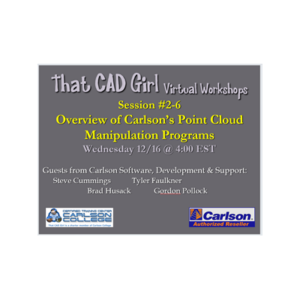
2020 Virtual Workshops
Session #2-6: Overview of Carlson’s Point Cloud Manipulation Programs
A Virtual Workshop Using Carlson Software - Explore Point Cloud, Drone and Laser Scan Tools This Carlson Software virtual workshop session provided an in-depth overview of the company’s point cloud and 3D modeling tools, including Photo Capture, Precision 3D, Point Cloud Basic and Advanced and related hardware such as the